
8 Common Issues with High-Power FM Transmitters and How to Fix Them
Introduction
As an engineer at RS, I have seen many high-power FM transmitter problems that initially appear to be equipment failures. In reality, issues such as overheating, power loss, high VSWR, or poor coverage can also be caused by the antenna, coaxial cable, power supply, or installation environment. In this guide, I’ll cover eight common problems and how to troubleshoot them.
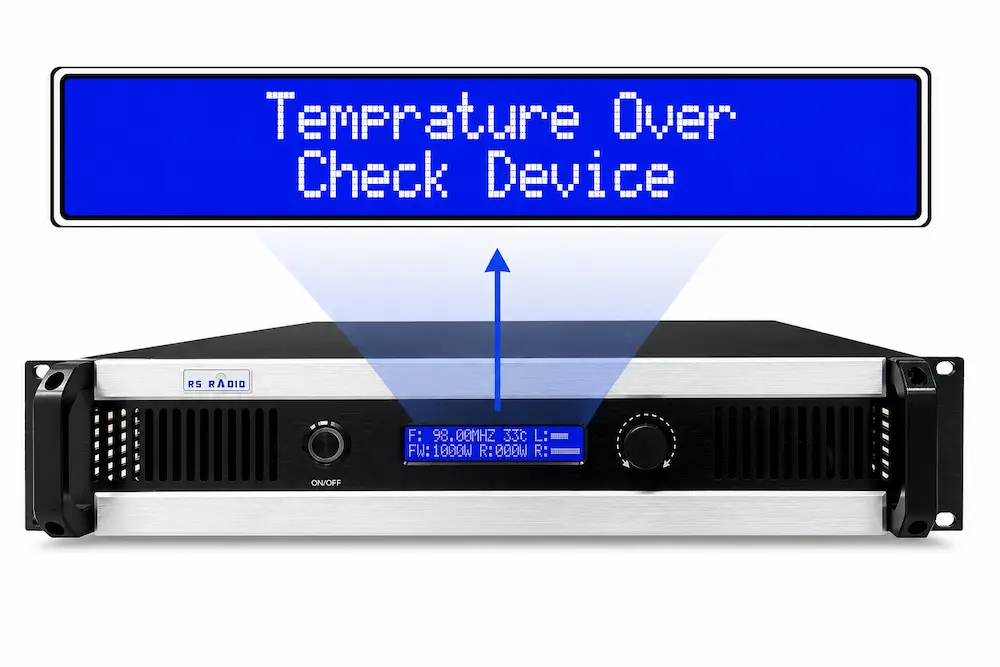
Issue 1: The Transmitter Keeps Overheating or Shutting Down
This is one of the most frequent complaints among FM transmitter users, especially in hot climates or poorly ventilated rooms.
Common Causes:
- Insufficient airflow or blocked cooling fans
- Transmitter installed in a small, unventilated cabinet
- High ambient temperature combined with continuous 24/7 operation
- Dust accumulation on heat sinks over time
How to Fix It:
- Make sure the transmitter has at least 20-30 cm of clearance on all sides for airflow.
- Install the unit in a room with air conditioning or at least a ventilation fan, especially in tropical regions.
- Clean the internal heat sinks and fans every few months to prevent dust buildup.
- Avoid stacking multiple heat-generating equipment in the same rack without spacing.
It’s worth noting that most overheating shutdowns are actually a safety feature, not a failure. Many modern transmitters, including our RS RADIO series , are designed with automatic thermal protection that kicks in around 60°C to protect internal transistors and modules from permanent damage. So if your transmitter shuts down when it gets hot, that’s often the unit protecting itself, not failing you.
Issue 2: High VSWR or Reflected Power Alarm
VSWR (Voltage Standing Wave Ratio) issues are extremely common, and they almost always point to something happening outside the transmitter itself.
Common Causes:
- Damaged, low-quality, or incorrectly rated coaxial cable
- Loose or corroded connectors
- Antenna mismatch or damage (especially after storms)
- Water ingress into cable connectors, particularly on outdoor installations
How to Fix It:
- Disconnect the antenna and test the transmitter into a dummy load. If VSWR returns to normal, the problem is external (cable or antenna), not the transmitter.
- Inspect every connector for corrosion, looseness, or moisture — this is the #1 cause of VSWR alarms in the field.
- Check that the cable impedance matches your transmitter and antenna specifications (typically 50 ohms).
- Physically inspect the antenna for cracked radiators, bent elements, or water inside the housing.
Because transmitters, antennas, and cables must work together as a matched system, mismatched or third-party components are a leading cause of VSWR problems. This is one reason many operators prefer sourcing their transmitter, antenna, and cable as a complete set from a single factory — it eliminates compatibility guesswork and reduces the chance of impedance mismatch from day one.
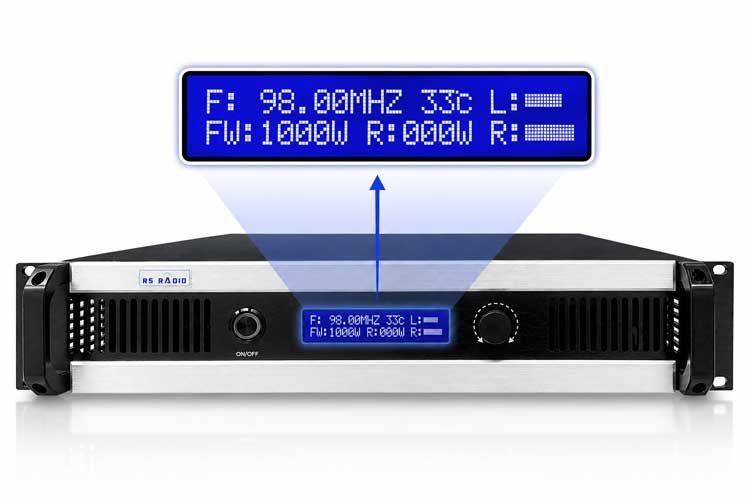
Issue 3: Output Power Is Lower Than the Rated Power
You may buy a 1000W transmitter, but you’re only reading 700W on the meter. This is a common and frustrating issue.
Common Causes:
- Aging or degraded power amplifier transistors
- Incorrect power supply voltage
- Poor cable connections causing power loss before the antenna
- Firmware or calibration drift over time
How to Fix It:
- Verify your input voltage matches the transmitter’s rated specification (110V/220V, depending on model).
- Check the power reading directly at the transmitter output before the cable, to isolate whether loss is happening in the transmitter or downstream.
- Inspect the RF module and transistors — in solid-state transmitters, power amplifier modules can degrade gradually and may need replacement.
- Recalibrate the transmitter’s power output settings if the unit supports adjustable output levels.
Issue 4: The Transmitter Shows Full Power, but Coverage Is Poor
This one confuses a lot of operators: the meter reads full rated power, but listeners report weak or no signal just a few kilometers away.
Common Causes:
- Antenna installed too low or blocked by buildings/trees
- Wrong antenna type or gain for the intended coverage area
- Poor quality or excessively long cable causing signal loss
- Terrain obstructions (hills, dense urban areas)
How to Fix It:
- Remember: transmitter power alone does not determine coverage. Antenna height and gain play an equally critical role.
- Raise the antenna as high as physically and legally possible — height often matters more than raw wattage.
- Choose the correct antenna gain and cable length for your coverage goals; a mismatched setup can waste 30-50% of your effective power.
- Use a coverage distance reference chart based on power output, antenna height, and terrain to set realistic expectations before installation.
This is exactly why transmitter, antenna, and cable should be treated as one system rather than three separate purchases. A high-power transmitter paired with a low-quality antenna or overly long cable run will always underperform, no matter how good the transmitter itself is.
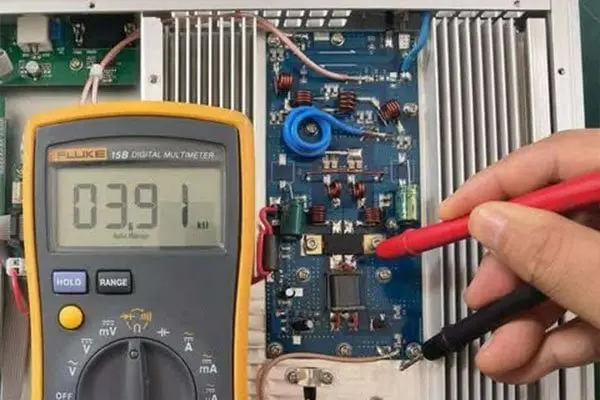
Issue 5: Output Power Keeps Fluctuating
Power that rises and falls unpredictably is usually an early warning sign, not something to ignore.
Common Causes:
- Unstable AC input voltage or power grid issues
- Overheating causing automatic power reduction
- Failing power amplifier module
- Poor grounding causing electrical noise interference
How to Fix It:
- Use a voltage stabilizer or regulator, especially in regions with unstable grid power.
- Check that the transmitter isn’t running near its thermal threshold — fluctuating power is sometimes the thermal protection system gradually reducing output rather than shutting down completely.
- Ensure proper grounding of the entire system, including the transmitter chassis and antenna mast.
- If fluctuation persists under stable voltage and temperature, have the amplifier module tested for early-stage failure.
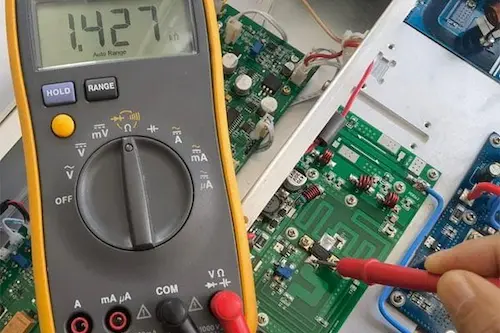
Issue 6: The Transmitter Suddenly Has No RF Output
A total loss of RF output is understandably alarming, but it’s usually traceable to a specific component.
Common Causes:
- Blown fuse or tripped internal protection circuit
- Failed power amplifier transistor
- Loose internal cable or connector
- Faulty exciter or oscillator stage
How to Fix It:
- Check the power indicator and display first — if the unit powers on but shows no RF, the issue is likely in the amplifier or exciter stage, not the power supply.
- Inspect and test the main fuse; a blown fuse is one of the simplest and most common causes.
- Open the case (only if you’re comfortable doing so and the unit is unplugged) and check for obviously loose internal connectors.
- If the issue is beyond basic checks, contact your manufacturer’s support team with photos or a short video — this often speeds up diagnosis significantly.
This is exactly the kind of situation where our WhatsApp after-sales support group becomes genuinely useful — customers can send a quick video of the transmitter’s internal status, and our engineers can usually narrow down the faulty component within the same conversation, guiding step-by-step repair without needing to ship the whole unit back.
Issue 7: Audio Distortion, Noise, or Poor Modulation
Listeners complaining about distorted, muffled, or noisy audio is a common issue that isn’t always about the transmitter itself.
Common Causes:
- Audio input level too high or too low
- Incorrect pre-emphasis setting
- Poor quality or unshielded audio cables
- RF interference from nearby equipment or poor grounding
How to Fix It:
- Check your audio input level using the transmitter’s built-in meter — both over-modulation and under-modulation cause distortion.
- Confirm the pre-emphasis setting (50µs or 75µs) matches your region’s broadcasting standard.
- Use shielded, good-quality audio cables between your source and transmitter, especially over longer runs.
- Ensure the transmitter and audio source share a common, clean ground to avoid hum or interference.
For operators who are new to broadcasting, this is often one of the trickiest issues to self-diagnose, which is why installation and setup videos plus a printed manual (included with the transmitter) can save a lot of trial and error before ever needing to contact support.
Issue 8: Problems After Lightning, Power Surges, or Unstable Electricity
For outdoor or rural installations, lightning and power surges are an unfortunately common cause of transmitter damage.
Common Causes:
- Direct or induced lightning strikes on the antenna or mast
- Grid power surges from unstable electrical infrastructure
- Missing or inadequate surge protection and grounding
- Damaged coaxial cable acting as a conduction path into the transmitter
How to Fix It:
- Install a proper lightning arrestor on the antenna line, and ensure the mast, tower, and equipment are all properly grounded.
- Use a surge protector on the AC power input, particularly in regions with unstable grid electricity.
- Disconnect the antenna cable during severe storms if the station is not continuously operating.
- After a suspected lightning event, inspect the cable, connectors, and antenna before reconnecting the transmitter — powering on a damaged system can cause further internal damage.
Final Thoughts
Most FM transmitter issues fall into a few predictable categories: heat management, cable/antenna mismatch, power supply instability, and environmental damage like lightning. The good news is that the majority of these problems can be diagnosed and resolved without needing to replace the entire unit.
If you need help troubleshooting an FM transmitter, RS RADIO provides direct engineering support . From a single 30W transmitter to a complete 20KW broadcasting system, our engineers can assist with diagnosis, repairs, and parts replacement, backed by free shipping to most countries and a 5-year warranty.
Related Articles
High Power FM Transmitter: Everything You Need to Know
High Power FM Transmitter: Everything You Need to Know I work as broadcast engineer at RS Electronics for...
Read more
Common Mistakes When Installing FM Transmitters
Common Mistakes When Installing FM Transmitters I work as installation engineer at RS Electronics for nine years installing...
Read more
8 Best FM Transmitter Packages for Turnkey Radio Stations
8 Best FM Transmitter Packages for Turnkey Radio Stations I work as broadcast systems engineer at RS Electronics...
Read more